Malware & RansomwareHIGH

Google Drive - Detects Ransomware and Restores Files, Enhanced Features Now Available
Featured image for Google Drive - Detects Ransomware and Restores Files, Enhanced Features Now Available
HNHelp Net SecurityΒ·Reporting by Anamarija Pogorelec
πŸ“° 4 sourcesΒ·Summary by CyberPings EditorialΒ·AI-assistedΒ·Reviewed by Rohit Rana
Updated:
🎯

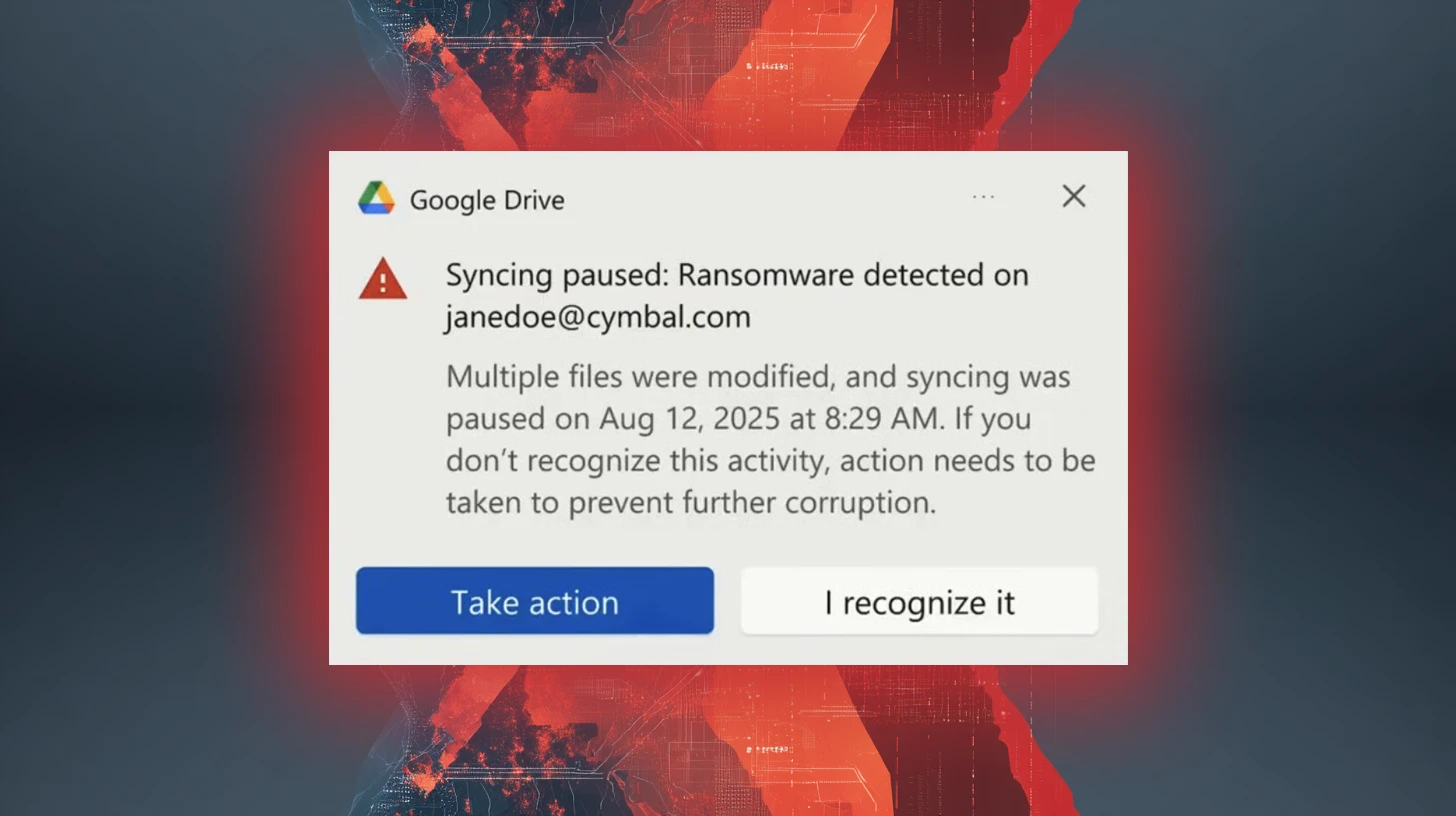
Google Drive can now spot ransomware, which is a type of malware that locks your files and demands money to unlock them. If it finds ransomware, it will stop syncing your files to the cloud so that the bad files don't overwrite your good ones. Plus, if your files do get locked, you can easily get them back to how they were before without paying the ransom. This makes it much safer to use Google Drive for storing important documents.

Quick Summary

Google Drive's ransomware detection and file restoration features are now generally available, offering enhanced protection against malware attacks with improved AI capabilities.

Introduction

Google has officially rolled out its ransomware detection and file restoration features for Google Drive, transitioning from beta to general availability. Originally introduced in September 2025, these enhancements are designed to bolster defenses against malware attacks targeting both local machines and cloud synchronization.

How It Works

The updated artificial intelligence model now detects 14 times more ransomware infections compared to the beta version, significantly improving the speed and breadth of detection. The ransomware detection feature, which operates through the Google Drive for desktop application, automatically pauses file synchronization when ransomware behavior is detected on a local endpoint. This proactive measure prevents newly encrypted files from being uploaded to Google Workspace, safeguarding healthy cloud data from being overwritten.

Who's Being Targeted

Users must ensure they are running Google Drive for desktop version 114 or later to receive real-time alerts during an incident. Older versions will still halt synchronization but will not provide desktop notifications. Upon detection, both affected users and domain administrators receive immediate notifications via email, ensuring that security teams can respond swiftly.

Signs of Infection

The newly introduced file restoration interface allows users to recover multiple compromised files efficiently, reverting them to their pre-infection versions. This capability not only accelerates incident recovery times but also provides a reliable mechanism to restore access without succumbing to extortion demands.

How to Protect Yourself

Google reports that thousands of users have successfully tested these recovery tools during the beta phase, demonstrating their scalability and reliability in real-world scenarios. Both ransomware detection and file restoration features are enabled by default for organizations, with administrators having the ability to manage these settings at the Organizational Unit level in the Google Workspace Admin console. Availability of these features varies based on the specific Google account type and licensing tier, with file restoration accessible to all Google Workspace customers, individual subscribers, and personal Google accounts, while ransomware detection is supported for Business Standard and Plus editions, as well as various education and enterprise tiers.

The enhanced ransomware detection capabilities and bulk file restoration options in Google Drive represent a significant advancement in protecting users from ransomware attacks. By leveraging AI to detect a broader range of encryption signatures and executing faster detections, Google is minimizing the risk of data compromise in real-time. Organizations using Google Workspace can benefit from these automated defenses, ensuring that their data remains secure against evolving threats.

Original article from

HNHelp Net SecurityΒ· Anamarija Pogorelec
Read Full Article

Also covered by

CYCyber Security News

Google Unveils Ransomware Detection and File Restoration for Google Drive

Read Article
SCSC Media

Google Drive enhances ransomware protection with AI

Read Article
BLBleepingComputer

Google Drive ransomware detection now on by default for paying users

Read Article

Related Pings

HIGHMalware & Ransomware

Malware Newsletter Round 91 - Latest Threats and Insights

The latest malware newsletter reveals new threats like Infiniti Stealer and npm supply chain attacks. Developers and organizations must stay alert to evolving risks in cybersecurity.

Security AffairsΒ·
HIGHMalware & Ransomware

Malicious Email Delivers CMD Malware - Privilege Escalation Alert

A malicious email has delivered a .cmd malware file that escalates privileges and bypasses antivirus systems. Users are at risk of significant system compromise. Awareness and immediate action are vital to mitigate this threat.

Security AffairsΒ·
HIGHMalware & Ransomware

Axios NPM Package Compromised - Supply Chain Attack Exposed

A major supply chain attack compromised the Axios NPM package, affecting millions of users. Malicious versions deployed a RAT, posing serious security risks. Swift action was taken to remove the threats.

Trend Micro ResearchΒ·
HIGHMalware & Ransomware

Brokk Hacked - Play Ransomware Exposes Sensitive Data

Brokk has reportedly been hacked by Play ransomware, leading to the leak of sensitive corporate data. This incident could severely impact the company's reputation and security. Organizations must bolster their defenses to prevent similar breaches.

SC MediaΒ·
HIGHMalware & Ransomware

Chaos Malware - New Targeting of 64-bit Linux Servers

Chaos malware has evolved to target 64-bit Linux servers, expanding its attack surface. This shift raises alarms for organizations relying on these systems. Enhanced security measures are now crucial to protect against potential larger-scale attacks.

SC MediaΒ·
HIGHMalware & Ransomware

Phorpiex Botnet - Spreading Ransomware and Sextortion Tactics

The notorious Phorpiex botnet is back, spreading ransomware and sextortion schemes. Millions are at risk as it targets users globally. Stay alert and protect your devices from this evolving threat.

Cyber Security NewsΒ·