Malicious Email Delivers CMD Malware - Privilege Escalation Alert
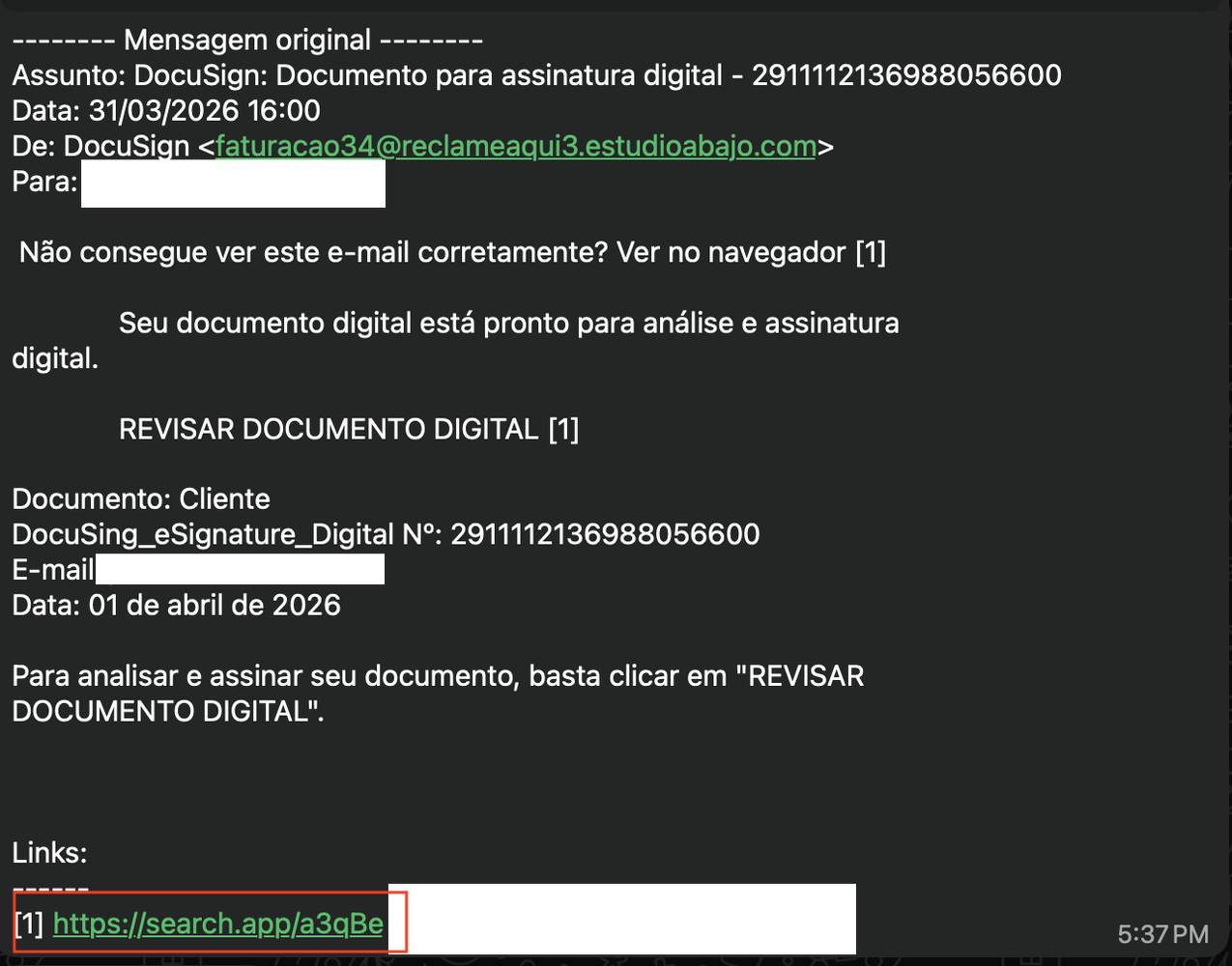
Basically, a bad email sent a harmful file that can take over your computer.
A malicious email has delivered a .cmd malware file that escalates privileges and bypasses antivirus systems. Users are at risk of significant system compromise. Awareness and immediate action are vital to mitigate this threat.
What Happened
A malicious email was sent containing a .cmd malware file. This file is designed to escalate user privileges, bypass antivirus protections, download additional payloads, set persistence on the system, and ultimately self-delete to cover its tracks. The email was shared by a user for analysis, revealing the sophisticated nature of the attack.
How It Works
The malware operates by executing a series of commands that enable it to gain administrative access. Here’s a breakdown of its functionality:
- Privilege Escalation: It checks if the user has administrative rights and attempts to elevate privileges if not.
- Antivirus Bypass: It adds its installation folder to Windows Defender exclusions, allowing it to operate undetected.
- Payload Download: The malware downloads additional files from a remote server, disguising them as image files.
- Persistence: It creates a scheduled task to ensure it runs automatically upon system logon.
- Self-Deletion: Finally, it deletes itself to erase any evidence of the attack.
Who's Being Targeted
This malware primarily targets users who may receive suspicious emails, especially those with less technical knowledge. The attack leverages social engineering tactics, making it appear as if the email is from a trusted source.
Signs of Infection
Users should be vigilant for the following signs that may indicate infection:
- Unusual system behavior or slow performance.
- Unrecognized scheduled tasks in the Task Scheduler.
- Unexpected files or folders in local application data directories.
How to Protect Yourself
To safeguard against this type of malware:
- Do not open suspicious emails or attachments, even from known contacts.
- Use up-to-date antivirus software and ensure it scans all files, including those in excluded directories.
- Regularly check for and apply system updates to patch vulnerabilities.
- Educate yourself and others about phishing and social engineering tactics.
Conclusion
This incident highlights the importance of cybersecurity awareness. Users must remain cautious and informed to protect themselves from evolving malware threats. The sophistication of this attack demonstrates that even seemingly harmless emails can pose serious risks. Always verify the legitimacy of unexpected communications and maintain robust security practices.